HTML DOM Navigation: Easy and Quick Node Tree Viewing
HTML DOM Navigation is a free Chrome extension developed by hkokila. It falls under the category of Browsers and specifically the subcategory of Add-ons & Tools. This extension provides a simple and efficient way to view the node tree.
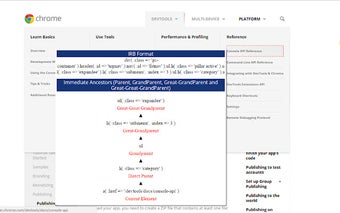
The main purpose of HTML DOM Navigation is to fetch the DOM quickly, which can be especially helpful for Watir automation. Once the webpage has fully loaded, you can click on the 'HTML DOM Navigation' icon located at the top right of the page. This will allow you to hover over any element on the page and view its IRB format, as well as the top five ancestors of the element.
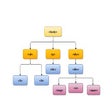
Additionally, you can right-click on the page and select the 'HTML DOM Navigation -> Tree Format' option in the Context-Menu to view the tree format of the entire body tag. To disable the extension, simply click on the icon again.
One convenient feature of HTML DOM Navigation is the ability to copy the content using 'ctrl+c' and scroll through the content using the up and down arrows. In case the copy or scroll function does not work, clicking anywhere on the page to focus on it usually resolves the issue.
Privacy-conscious users will be pleased to know that this tool does not store any of their data, ensuring their information remains secure.
Overall, HTML DOM Navigation is a valuable tool for developers and automation enthusiasts who need to quickly navigate and analyze the DOM structure of webpages. Its user-friendly interface and useful features make it a recommended extension for Chrome users.